ROS Service Server
예제 따라하기:
ROS Service Server <- 현재 설명 파트
따라하기: ROS Service Server Example
매개변수 설정과 함께 프로그램 시작 프로세스가 모두 단순화되었으며 Jupyter Notebook 환경에서 설정됩니다.
- 02_02_ros_service_client.ipynb Jupyter Notebook을 엽니다.
- 필요한 Python 라이브러리 및 모듈을 가져옵니다.
- 예제 코드를 따라 실행해보세요.
(이 예시에 사용된 Jetson 보드는 'Jetson Nano' 입니다.)
Jupyter Notebook 열기:
02_02_ros_service_client.ipynb
노트북 내에서 셀을 실행하려면 Ctrl + Enter 를 사용하세요.
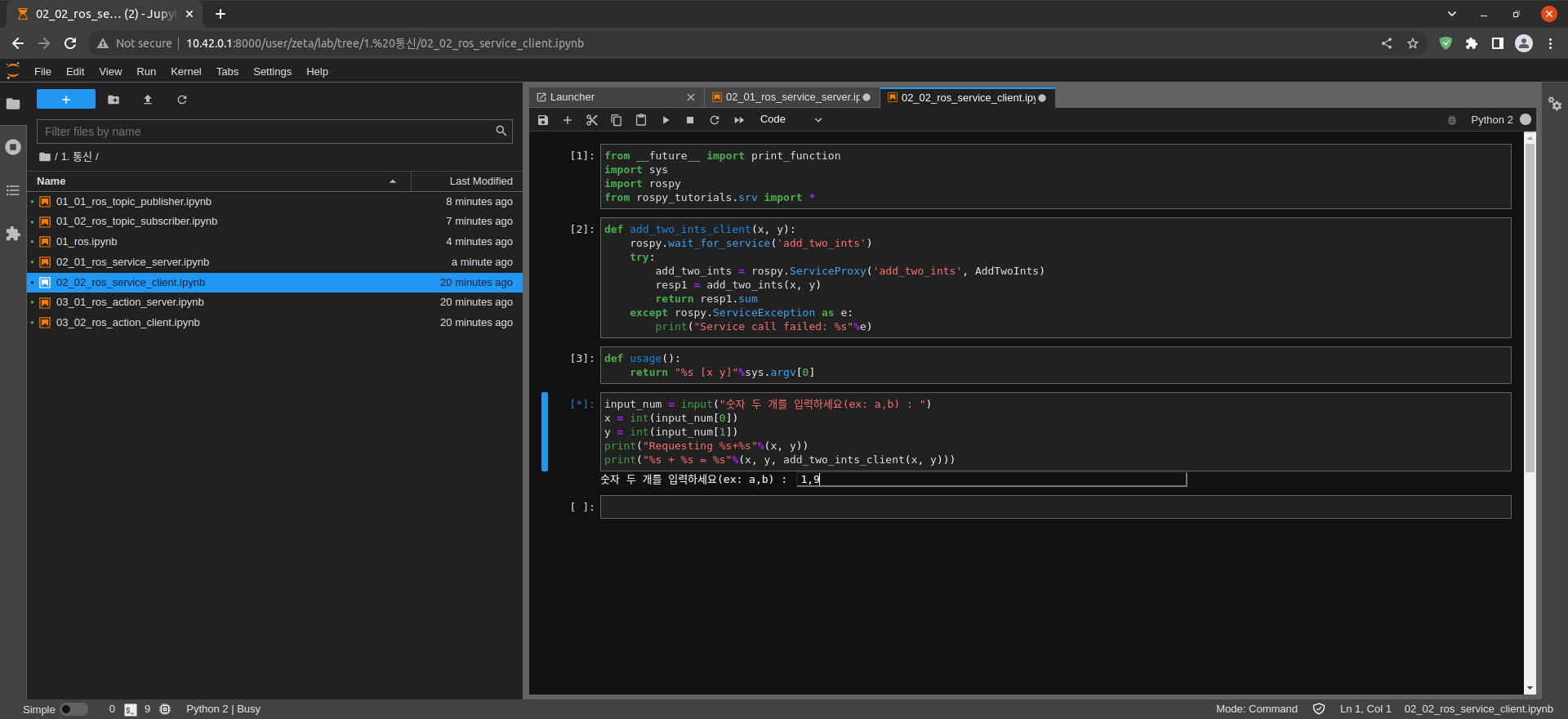
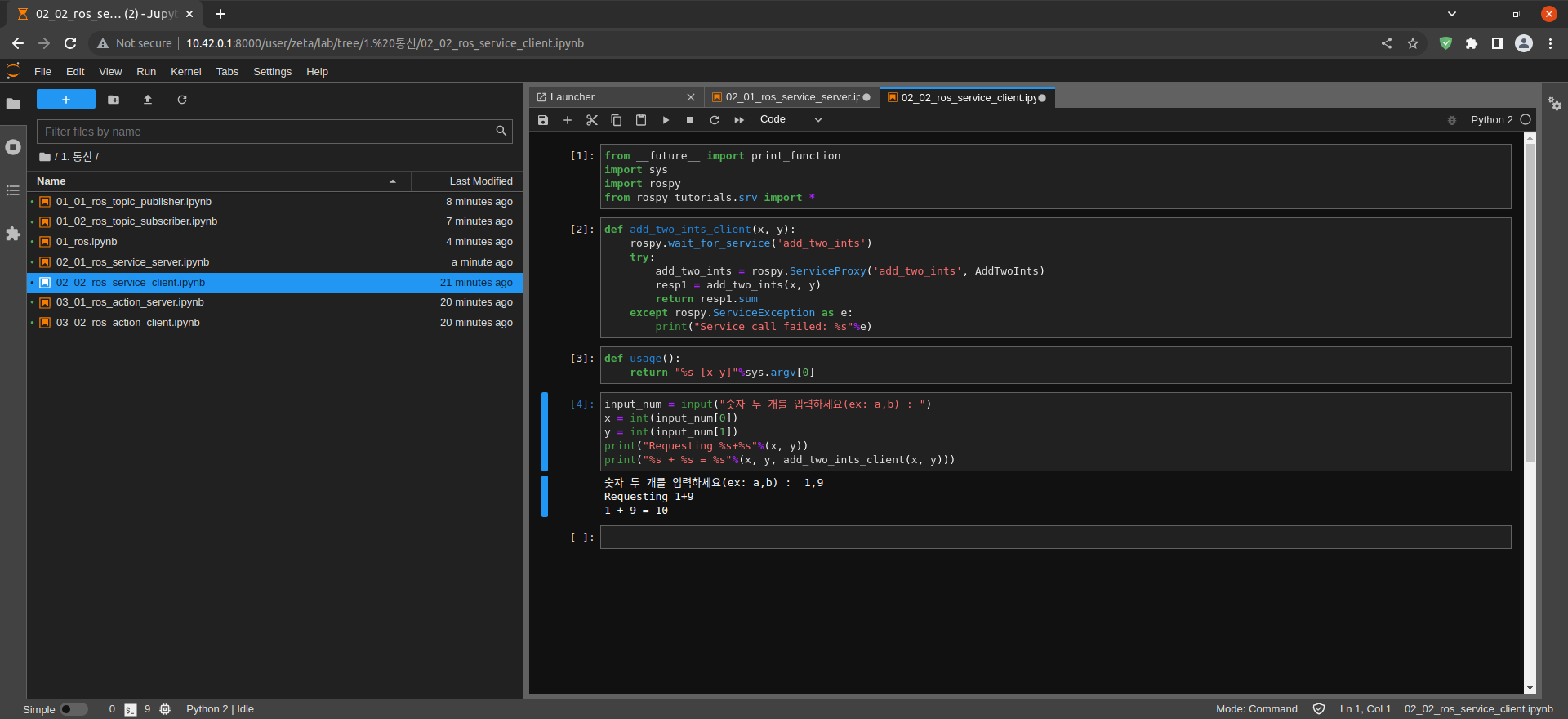
Import print_function from __future__ module for Python3 compatibility
Import sys module
Import rospy_tutorials.srv module
Import rospy modules
from __future__ import print_function
import sys
import rospy
from rospy_tutorials.srv import *
Create add_two_ints_client() function
Create add_two_ints_client()
Get add_two_ints Service result
exception handling
def add_two_ints_client(x, y):
    rospy.wait_for_service('add_two_ints')
    try:
        add_two_ints = rospy.ServiceProxy('add_two_ints', AddTwoInts)
        resp1 = add_two_ints(x, y)
        return resp1.sum
    except rospy.ServiceException as e:
        print("Service call failed: %s"%e)
사용자 입력 x, y를 얻고 계산 결과를 출력합니다.
def usage():
    return "%s [x y]"%sys.argv[0]
input_num = input("숫자 두 개를 입력하세요(ex: a,b) : ")
x = int(input_num[0])
y = int(input_num[1])
print("Requesting %s+%s"%(x, y))
print("%s + %s = %s"%(x, y, add_two_ints_client(x, y)))